To connect your replacement earbud to your current working one, follow these steps:
1. Open the Bluetooth® settings on your audio device and “FORGET” or “REMOVE” Jaybird Vista from the list of paired devices.
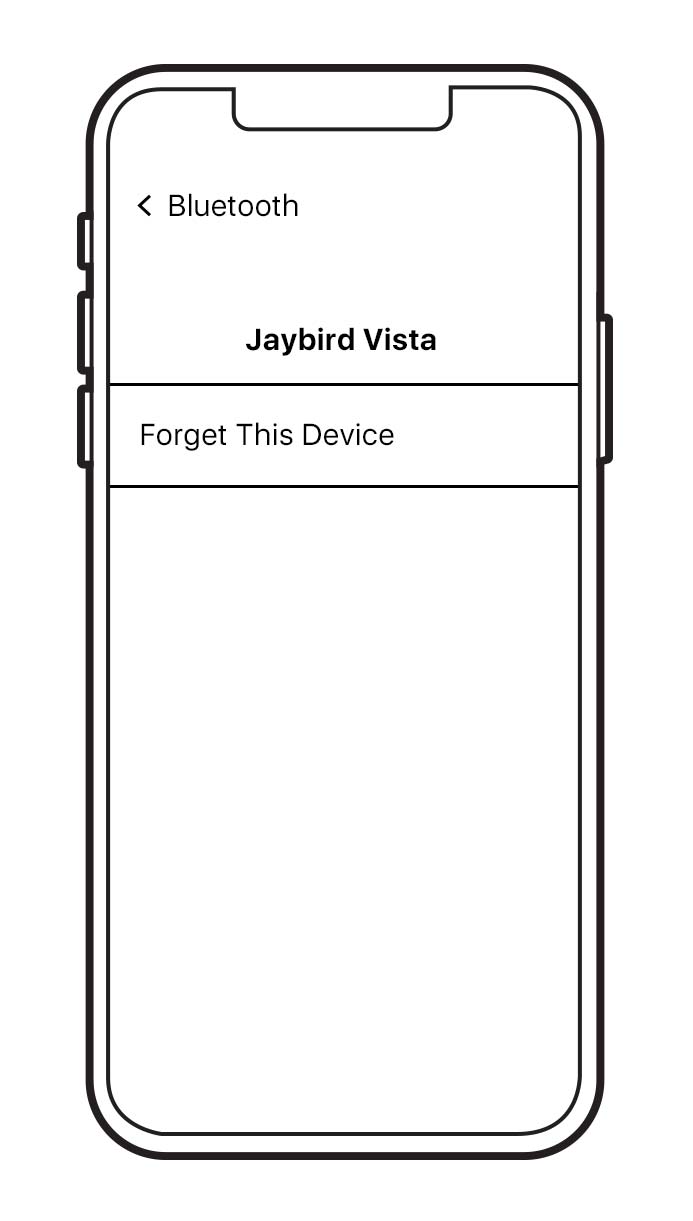
2. Put your replacement earbud in the charging case with your existing earbud. Close the case. Then plug the case into charge and wait for 5 minutes.
3. Open the charging case and press and hold the case button until the LED starts blinking white.
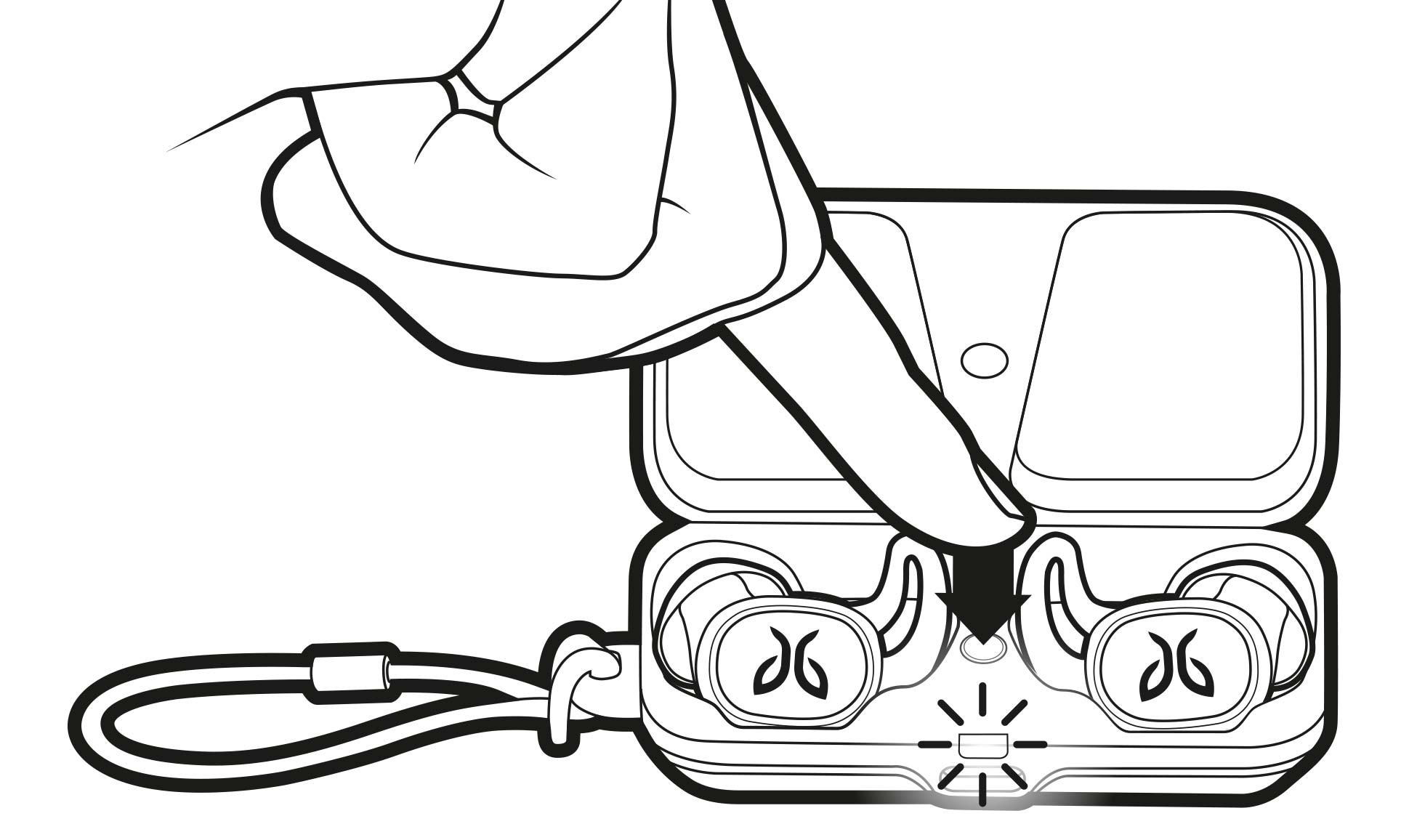
4. While the charging case LED is blinking white, double press the case button. The LED will blink pink. Now close the case.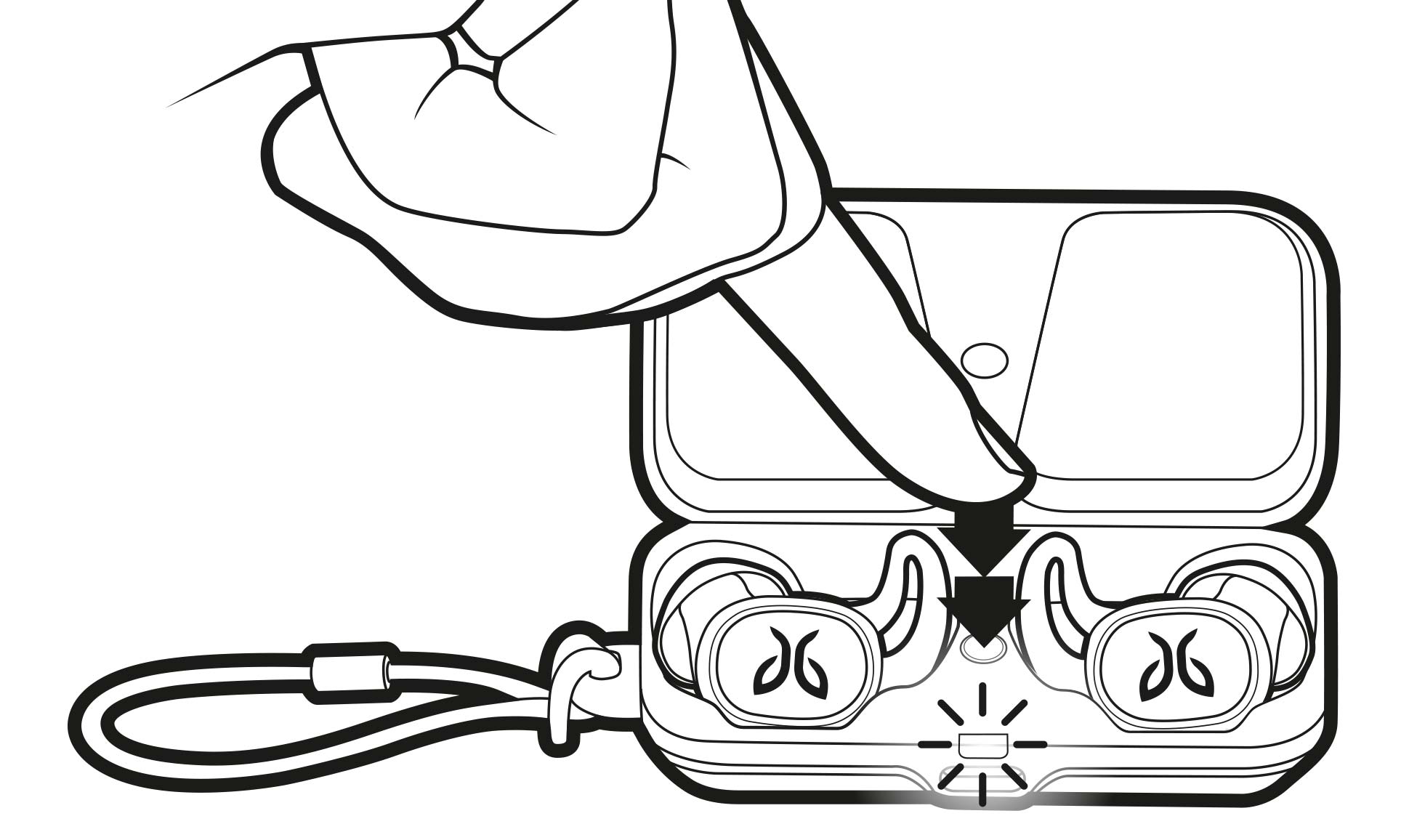
5. You can now pair the buds again:
-
Open the charging case. Press and hold the case button until the LED starts blinking white.
-
Go to your audio devices Bluetooth menu and select ‘Jaybird Vista’.
Wichtiger Hinweis: Das Firmware Update Tool wird von Logitech nicht mehr unterstützt oder gepflegt. Wir empfehlen dringend die Verwendung von Logi Options+ für Ihre unterstützten Logitech-Geräte. Während dieser Übergangsphase stehen wir Ihnen gern zur Seite.
Wichtiger Hinweis: Der Logitech Preference Manager wird nicht mehr von Logitech unterstützt oder gepflegt. Wir empfehlen dringend die Verwendung von Logi Options+ für Ihre unterstützten Logitech-Geräte. Während dieser Übergangsphase stehen wir Ihnen gern zur Seite.
Wichtiger Hinweis: Das Logitech Control Center wird nicht mehr von Logitech unterstützt oder gepflegt. Wir empfehlen dringend die Verwendung von Logi Options+ für Ihre unterstützten Logitech-Geräte. Während dieser Übergangsphase stehen wir Ihnen gern zur Seite.
Wichtiger Hinweis: Logitech Connection Utility wird von Logitech nicht mehr unterstützt oder gepflegt. Wir empfehlen dringend die Verwendung von Logi Options+ für Ihre unterstützten Logitech-Geräte. Während dieser Übergangsphase stehen wir Ihnen gern zur Seite.
Wichtiger Hinweis: Die Unifying-Software wird von Logitech nicht mehr unterstützt oder gepflegt. Wir empfehlen dringend die Verwendung von Logi Options+ für Ihre unterstützten Logitech-Geräte. Während dieser Übergangsphase stehen wir Ihnen gern zur Seite.
Wichtiger Hinweis: Die SetPoint-Software wird von Logitech nicht mehr unterstützt oder gewartet. Wir empfehlen dringend die Verwendung von Logi Options+ für Ihre unterstützten Logitech-Geräte. Während dieser Übergangsphase stehen wir Ihnen gern zur Seite.
Häufig gestellte Fragen – FAQs
Für diesen Abschnitt sind keine Produkte verfügbar
Für dieses Produkt sind keine Downloa
Für diese Version gibt es keine Downloads.
Compatible Product
