Ustream is a video broadcasting service that lets you stream live video to the web. To set up and use Ustream, do the following:
-
Create a Ustream account. You can sign up for the service using the Logitech Broadcaster app or on the Ustream web site. When you sign up for a Ustream account, it automatically creates a personal channel for you to broadcast on.
-
Configure your camera by logging into Ustream and associating a Ustream account with the camera. To log into Ustream:
-
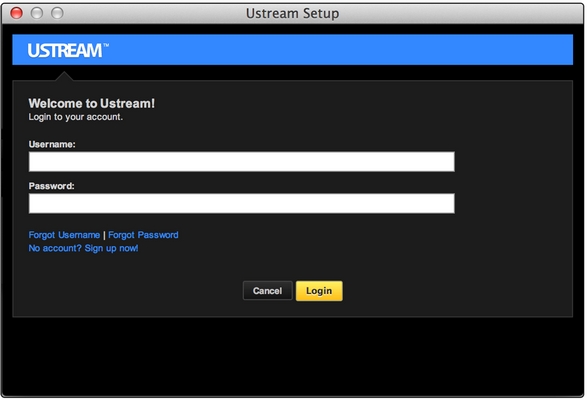
If you have a Ustream account, from the Broadcaster app's Ustream menu, choose Ustream Account > Add account. Enter your username and password.
-
If you don't have a Ustream account, from the Broadcaster app's Ustream menu, choose Ustream Account > Add account. Follow the onscreen instructions for creating an account and logging in.
-
-
Log in and link your Ustream account to your camera and select a channel. If you're prompted for permission to link the account to the camera, click Accept. Once the account is linked to your camera, you can start broadcasting. If you've set up multiple Ustream channels, you can select the one you want to broadcast on. From the Ustream menu, choose a channel in the Ustream account submenu.
Important Notice: The Firmware Update Tool is no longer supported or maintained by Logitech. We highly recommend using Logi Options+ for your supported Logitech devices. We are here to assist you during this transition.
Important Notice: The Logitech Preference Manager is no longer supported or maintained by Logitech. We highly recommend using Logi Options+ for your supported Logitech devices. We are here to assist you during this transition.
Important Notice: The Logitech Control Center is no longer supported or maintained by Logitech. We highly recommend using Logi Options+ for your supported Logitech devices. We are here to assist you during this transition.
Important Notice: The Logitech Connection Utility is no longer supported or maintained by Logitech. We highly recommend using Logi Options+ for your supported Logitech devices. We are here to assist you during this transition.
Important Notice: The Unifying Software is no longer supported or maintained by Logitech. We highly recommend using Logi Options+ for your supported Logitech devices. We are here to assist you during this transition.
Important Notice: The SetPoint software is no longer supported or maintained by Logitech. We highly recommend using Logi Options+ for your supported Logitech devices. We are here to assist you during this transition.
Frequently Asked Questions
There are no products available for this section
There are no Downloads for this Product
There are no Downloads for this Version
Compatible Product
