This is usually caused by two applications trying to stream video at the same time.
To resolve this video-streaming issue:
-
Left-click on the Logitech Webcam Software (LWS) icon on the taskbar (shown below) to see if the Quick Capture application is running.
LWS 1.x LWS 2.x 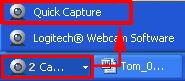

-
If Quick Capture is running, close the Logitech Webcam Software by clicking the "X" in the top right-hand corner.
LWS 1.x LWS 2.x 
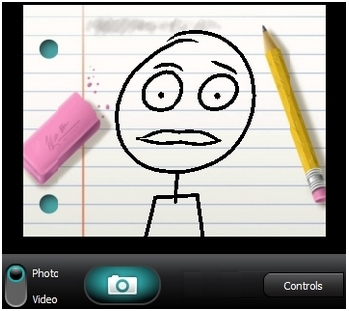
-
Launch your video chat software (Skype, AIM, Yahoo, etc) and try to video chat. If you still get this error, proceed to Step 4.
-
Check your computer documentation to see if you have a third-party device, such as a TV capture card, that might be streaming video. If so, disable this device and check your chat client again.
You should now be able to stream video chat without receiving the "Camera in use by another application" error message.
Important Notice: The Firmware Update Tool is no longer supported or maintained by Logitech. We highly recommend using Logi Options+ for your supported Logitech devices. We are here to assist you during this transition.
Important Notice: The Logitech Preference Manager is no longer supported or maintained by Logitech. We highly recommend using Logi Options+ for your supported Logitech devices. We are here to assist you during this transition.
Important Notice: The Logitech Control Center is no longer supported or maintained by Logitech. We highly recommend using Logi Options+ for your supported Logitech devices. We are here to assist you during this transition.
Important Notice: The Logitech Connection Utility is no longer supported or maintained by Logitech. We highly recommend using Logi Options+ for your supported Logitech devices. We are here to assist you during this transition.
Important Notice: The Unifying Software is no longer supported or maintained by Logitech. We highly recommend using Logi Options+ for your supported Logitech devices. We are here to assist you during this transition.
Important Notice: The SetPoint software is no longer supported or maintained by Logitech. We highly recommend using Logi Options+ for your supported Logitech devices. We are here to assist you during this transition.
Frequently Asked Questions
There are no products available for this section
There are no Downloads for this Product
There are no Downloads for this Version
Compatible Product
