Plugins are add-ons that you can download for Squeezebox Radio software (Squeezebox Server). To add or remove plugins, please do the following:
Select your operating system:
NOTE: Although the screenshots below are XP screenshots, the text is identical for Vista.
-
Open the Squeezebox Server Control Panel:

-
Go to the Advanced tab:

-
Click the Advanced Settings Button:

-
Go to the Plugins Tab:

-
Check/uncheck the plugins you want to install or uninstall:

-
Click the Apply Button:

-
You will see a message asking you to restart Squeezebox Server:

-
If you choose to restart Squeezebox Server now, you will see the following message. Click OK:

If you choose to restart Squeezebox Server later, follow the steps in the Manually Start Squeezebox Server section below.
Manually restart Squeezebox Server:
-
Right-click the Squeezebox icon in your system tray and click Stop Squeezebox Server as shown below:

-
Wait for Squeezebox Server to stop running.
-
Right-click on the Squeezebox Server icon in your system tray and click Start Squeezebox Server as shown below:

-
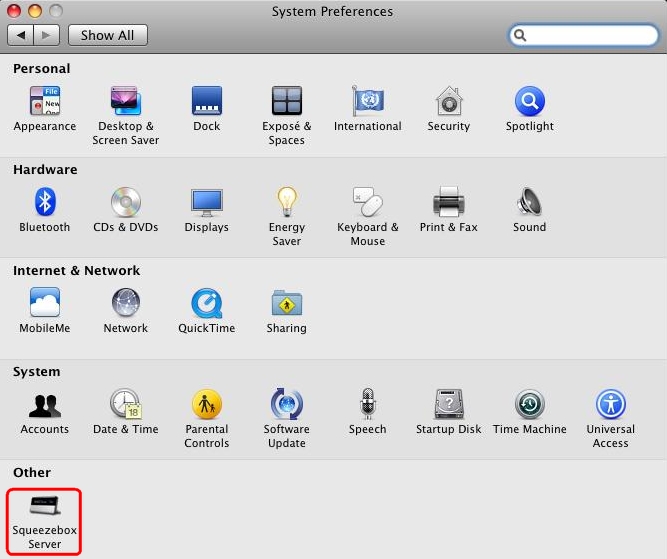
Go to System Preferences > Squeezebox Server:
-
Go to the Advanced Tab:

-
Click Advanced Settings:

-
Go to the Plugins tab:

-
Check/uncheck the plugins you want to install or uninstall:

-
Click Apply:
-
You will see a message asking you to restart Squeezebox Server:

-
If you choose to restart Squeezebox Server now, you will see the following message. Click OK:

If you choose to restart Squeezebox Server later, follow the steps in the Manually Start Squeezebox Server section below.
Manually restart Squeezebox Server:
-
Go to System Preferences > Squeezebox Server:
-
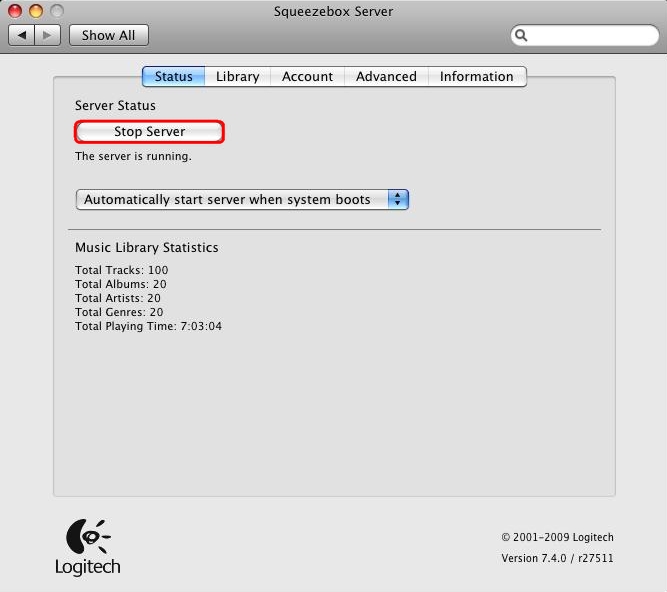
Click Stop Server:
-
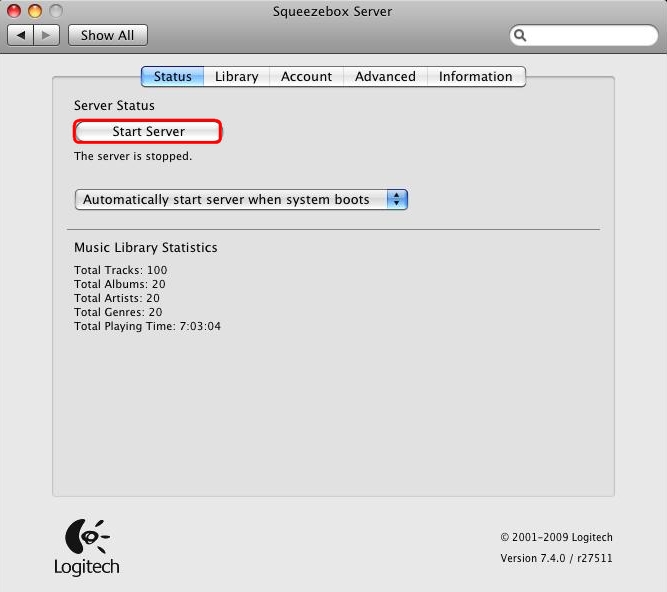
When the button changes to Start Server, click it again to restart Squeezebox Server:
Important Notice: The Firmware Update Tool is no longer supported or maintained by Logitech. We highly recommend using Logi Options+ for your supported Logitech devices. We are here to assist you during this transition.
Important Notice: The Logitech Preference Manager is no longer supported or maintained by Logitech. We highly recommend using Logi Options+ for your supported Logitech devices. We are here to assist you during this transition.
Important Notice: The Logitech Control Center is no longer supported or maintained by Logitech. We highly recommend using Logi Options+ for your supported Logitech devices. We are here to assist you during this transition.
Important Notice: The Logitech Connection Utility is no longer supported or maintained by Logitech. We highly recommend using Logi Options+ for your supported Logitech devices. We are here to assist you during this transition.
Important Notice: The Unifying Software is no longer supported or maintained by Logitech. We highly recommend using Logi Options+ for your supported Logitech devices. We are here to assist you during this transition.
Important Notice: The SetPoint software is no longer supported or maintained by Logitech. We highly recommend using Logi Options+ for your supported Logitech devices. We are here to assist you during this transition.
Frequently Asked Questions
There are no products available for this section
There are no Downloads for this Product
There are no Downloads for this Version
Compatible Product
