The Z-5500 speakers have a feature called the Pro Logic II (PLII) decoder that allows for extra control for the Z-5500. The PLII decoder is only available when using the Pro Logic effect.
To enable PLII, do the following:
- Press the Effect button on the front of the control pod.
- Cycle through the settings and choose PLII Movie or PLII Music.
- To choose one of the following settings, press the Settings button and choose the setting you wish to use.
- Any further adjustments are done by turning the knob on the front of the control pod.
The individual PLII settings are as follows:
-
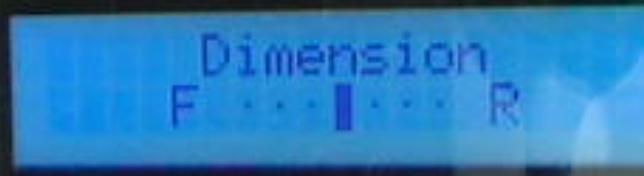
Dimension control: Allows the user to gradually adjust the soundfield either towards the front or towards the rear. This can be useful to help achieve a more suitable balance from all the speakers with certain recordings.
-
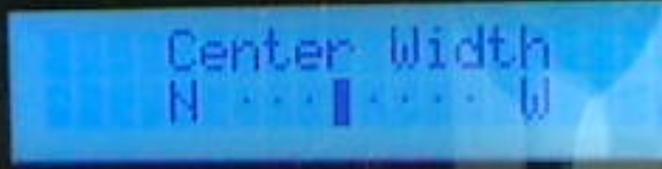
Center Width control: Allows variable adjustment of the center image so it may be heard only from the Center speaker, only from the Left/Right speakers as a "phantom" center image, or various combinations of all three front speakers. With this control it is possible to create a balanced Left-Center-Right stage presentation and allows improved blending of the Center and main speakers, or to control the sense of image width, or "weight."
-
Panorama mode: Extends the front stereo image to include the Surround speakers for a wraparound effect.

Important Notice: The Firmware Update Tool is no longer supported or maintained by Logitech. We highly recommend using Logi Options+ for your supported Logitech devices. We are here to assist you during this transition.
Important Notice: The Logitech Preference Manager is no longer supported or maintained by Logitech. We highly recommend using Logi Options+ for your supported Logitech devices. We are here to assist you during this transition.
Important Notice: The Logitech Control Center is no longer supported or maintained by Logitech. We highly recommend using Logi Options+ for your supported Logitech devices. We are here to assist you during this transition.
Important Notice: The Logitech Connection Utility is no longer supported or maintained by Logitech. We highly recommend using Logi Options+ for your supported Logitech devices. We are here to assist you during this transition.
Important Notice: The Unifying Software is no longer supported or maintained by Logitech. We highly recommend using Logi Options+ for your supported Logitech devices. We are here to assist you during this transition.
Important Notice: The SetPoint software is no longer supported or maintained by Logitech. We highly recommend using Logi Options+ for your supported Logitech devices. We are here to assist you during this transition.
Frequently Asked Questions
There are no products available for this section
There are no Downloads for this Product
There are no Downloads for this Version
Compatible Product
