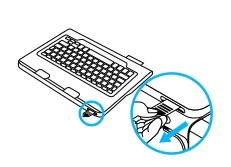
- Pull the battery tab away from the keyboard. Slide the power button to the ON position. The LED should start blinking.
- Open the keyboard case, insert the top corners of your tablet into the top hooks of the expandable holder: If the tablet is too big, insert the left corner into the holder first, push it up a bit, then insert the right corner.
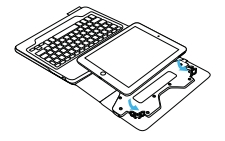
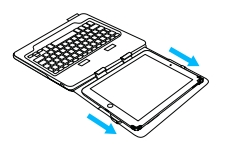
- Push the whole tablet up and lock the bottom two corners into the holder.
- Move the keyboard case into the typing position. Push the hooks on the holder into the lifting slots on the keyboard.
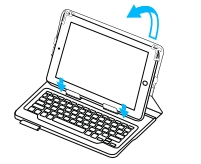
NOTE: The hooks must be inserted into the slots to allow lifting the entire case.
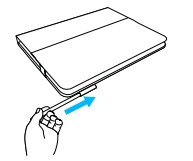
Stylus storage
There is a holder on the front of the case to store a stylus if you have one. Slide the stylus into the holder to store:
Important Notice: The Firmware Update Tool is no longer supported or maintained by Logitech. We highly recommend using Logi Options+ for your supported Logitech devices. We are here to assist you during this transition.
Important Notice: The Logitech Preference Manager is no longer supported or maintained by Logitech. We highly recommend using Logi Options+ for your supported Logitech devices. We are here to assist you during this transition.
Important Notice: The Logitech Control Center is no longer supported or maintained by Logitech. We highly recommend using Logi Options+ for your supported Logitech devices. We are here to assist you during this transition.
Important Notice: The Logitech Connection Utility is no longer supported or maintained by Logitech. We highly recommend using Logi Options+ for your supported Logitech devices. We are here to assist you during this transition.
Important Notice: The Unifying Software is no longer supported or maintained by Logitech. We highly recommend using Logi Options+ for your supported Logitech devices. We are here to assist you during this transition.
Important Notice: The SetPoint software is no longer supported or maintained by Logitech. We highly recommend using Logi Options+ for your supported Logitech devices. We are here to assist you during this transition.
Frequently Asked Questions
There are no products available for this section
There are no Downloads for this Product
There are no Downloads for this Version
Compatible Product
