To set up Smart Location:
- Open the Settings menu.
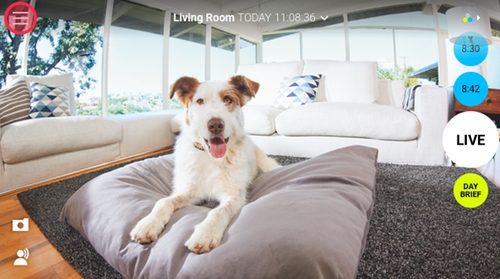
- Tap and hold Event Alerts next to the camera whose notifications you want to update based on Smart Location. Alternatively, you can tap the More Settings button next to the camera name and tap on the Smart Alerts menu item.
NOTE: Make sure the Event Alerts button next to the camera name is enabled. If disabled, tap to enable.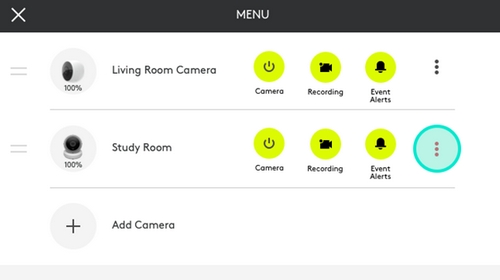
- Slide the Smart Alerts toggle right to enable (if not already enabled).
- Slide the Smart Location toggle right to enable.
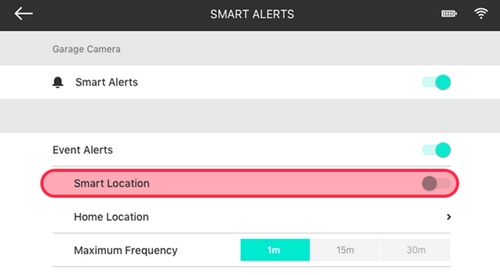
- On iOS, confirm to allow “Logi Circle” to access your location even when you are not using the Circle app.
- If you are setting this up for the first time, a pop-up map should appear where you set your home location. If you are editing your smart location, manually bring up the map by tapping the Home Location under Smart Location.
NOTE: It helps to enable your phone’s location setting.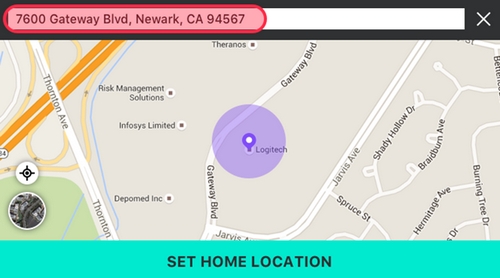
- You can use the GPS location given, or manually type an address for a more precise result.
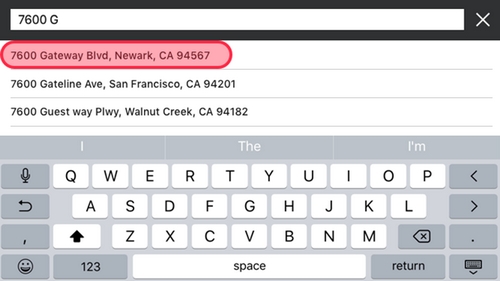
- Smart Location is now enabled. A Home Location should now be displayed below Smart Location.
Important Notice: The Firmware Update Tool is no longer supported or maintained by Logitech. We highly recommend using Logi Options+ for your supported Logitech devices. We are here to assist you during this transition.
Important Notice: The Logitech Preference Manager is no longer supported or maintained by Logitech. We highly recommend using Logi Options+ for your supported Logitech devices. We are here to assist you during this transition.
Important Notice: The Logitech Control Center is no longer supported or maintained by Logitech. We highly recommend using Logi Options+ for your supported Logitech devices. We are here to assist you during this transition.
Important Notice: The Logitech Connection Utility is no longer supported or maintained by Logitech. We highly recommend using Logi Options+ for your supported Logitech devices. We are here to assist you during this transition.
Important Notice: The Unifying Software is no longer supported or maintained by Logitech. We highly recommend using Logi Options+ for your supported Logitech devices. We are here to assist you during this transition.
Important Notice: The SetPoint software is no longer supported or maintained by Logitech. We highly recommend using Logi Options+ for your supported Logitech devices. We are here to assist you during this transition.
Frequently Asked Questions
There are no products available for this section
There are no Downloads for this Product
There are no Downloads for this Version
Compatible Product
