To connect your replacement earbud to your current working one, follow these steps:
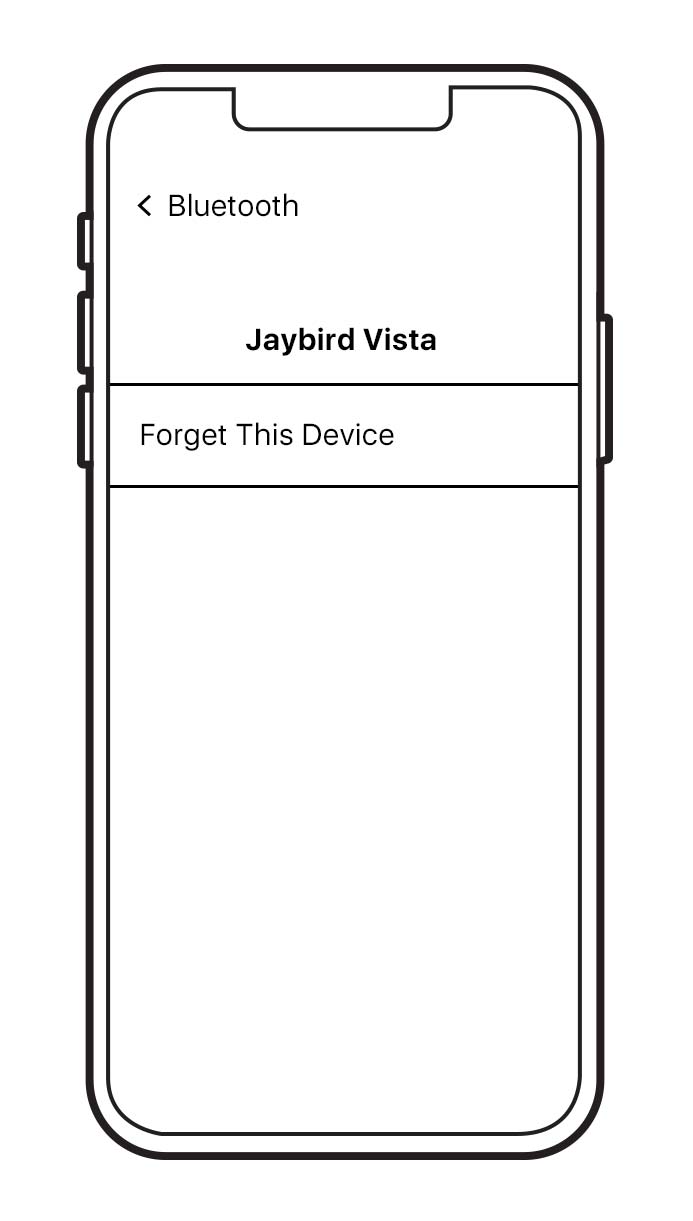
1. Open the Bluetooth® settings on your audio device and “FORGET” or “REMOVE” Jaybird Vista from the list of paired devices.
2. Put your replacement earbud in the charging case with your existing earbud. Close the case. Then plug the case into charge and wait for 5 minutes.
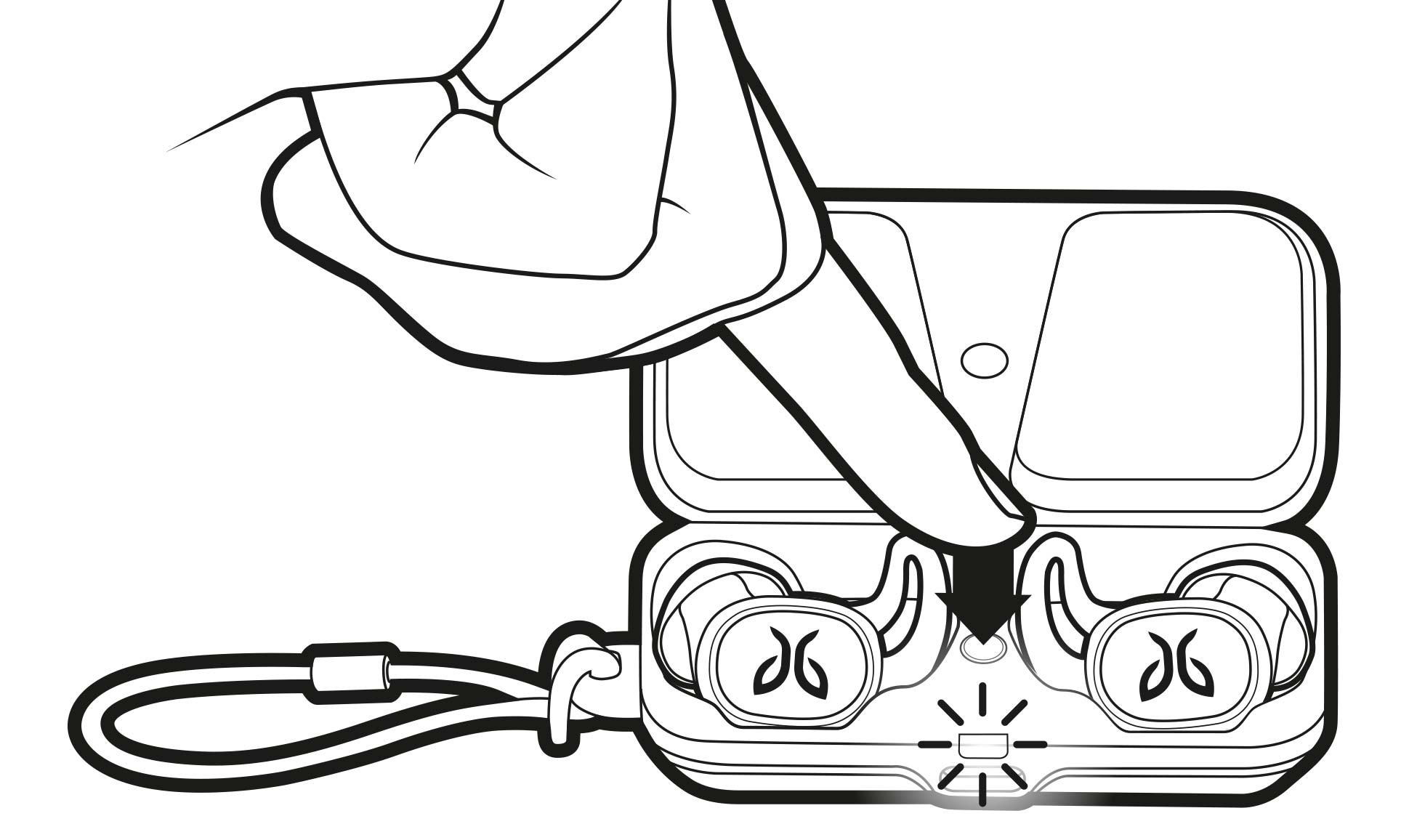
3. Open the charging case and press and hold the case button until the LED starts blinking white.
4. While the charging case LED is blinking white, double press the case button. The LED will blink pink. Now close the case.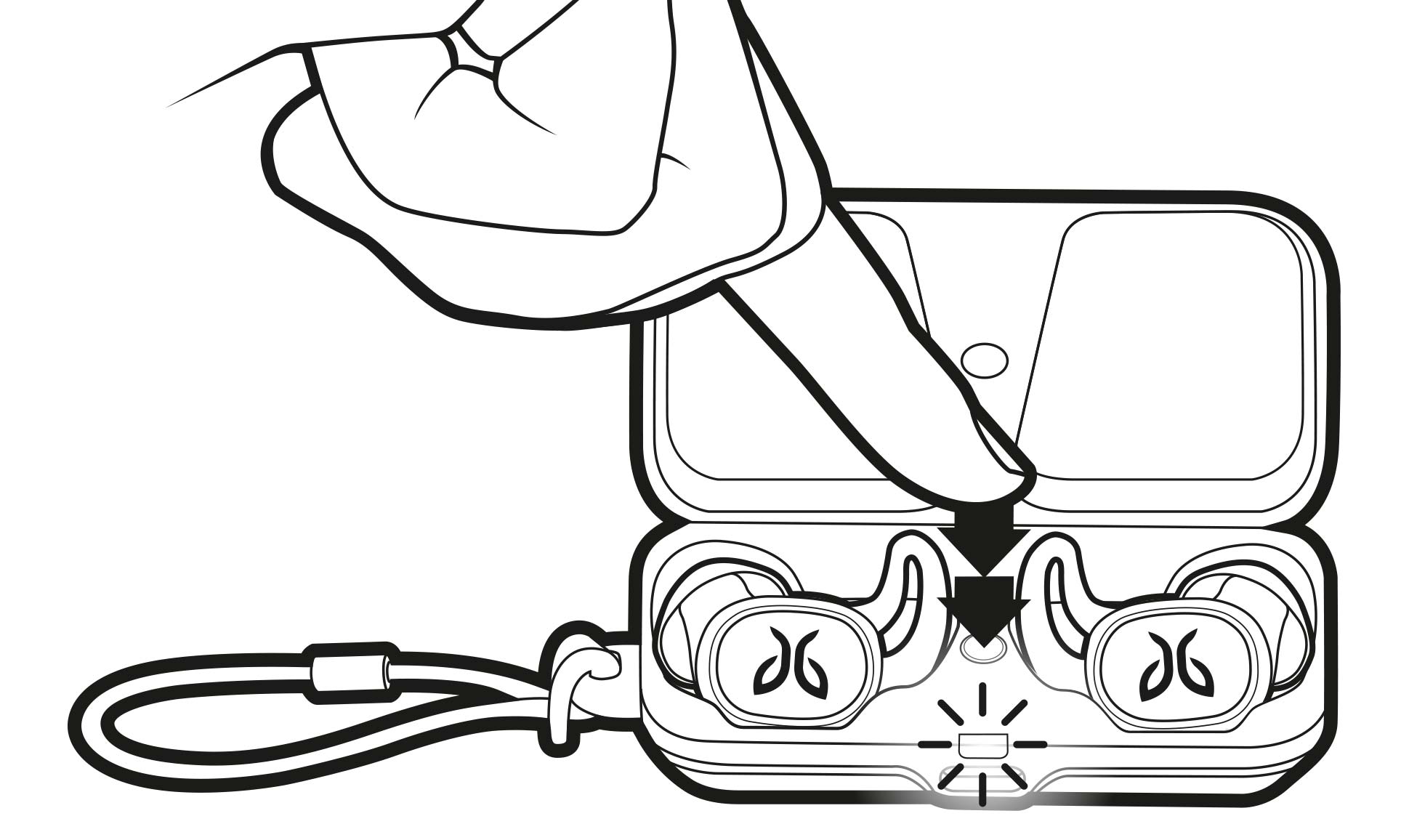
5. You can now pair the buds again:
-
Open the charging case. Press and hold the case button until the LED starts blinking white.
-
Go to your audio devices Bluetooth menu and select ‘Jaybird Vista’.
重要なお知らせ:ファームウェア更新ツールのロジクールによるサポートと保守は終了しました。Logi Options+をサポート対象のロジクールデバイスにご利用いただくことを強くお勧めします。この移行についてご質問等ございましたら、ロジクールまでお問い合わせください。
重要なお知らせ:ロジクール環境設定マネージャのロジクールによるサポートと保守は終了しました。Logi Options+をサポート対象のロジクールデバイスにご利用いただくことを強くお勧めします。この移行についてご質問等ございましたら、ロジクールまでお問い合わせください。
重要なお知らせ:ロジクール Control Center のロジクールによるサポートと保守は終了しました。Logi Options+をサポート対象のロジクールデバイスにご利用いただくことを強くお勧めします。この移行についてご質問等ございましたら、ロジクールまでお問い合わせください。
重要なお知らせ:ロジクール接続ユーティリティのロジクールによるサポートと保守は終了しました。Logi Options+をサポート対象のロジクールデバイスにご利用いただくことを強くお勧めします。この移行についてご質問等ございましたら、ロジクールまでお問い合わせください。
重要なお知らせ:Unifying ソフトウェアのロジクールによるサポートと保守は終了しました。Logi Options+をサポート対象のロジクールデバイスにご利用いただくことを強くお勧めします。この移行についてご質問等ございましたら、ロジクールまでお問い合わせください。
重要なお知らせ:SetPoint ソフトウェアのロジクールによるサポートと保守は終了しました。Logi Options+をサポート対象のロジクールデバイスにご利用いただくことを強くお勧めします。この移行についてご質問等ございましたら、ロジクールまでお問い合わせください。
よくある質問
このセクションでは利用可能な製品がありません
この製品用のダウンロードはありません
このバージョンのダウンロードはありません。
Compatible Product
