To connect your replacement earbud to your current working one, follow these steps:
1. Open the Bluetooth® settings on your audio device and “FORGET” or “REMOVE” Jaybird Vista from the list of paired devices.
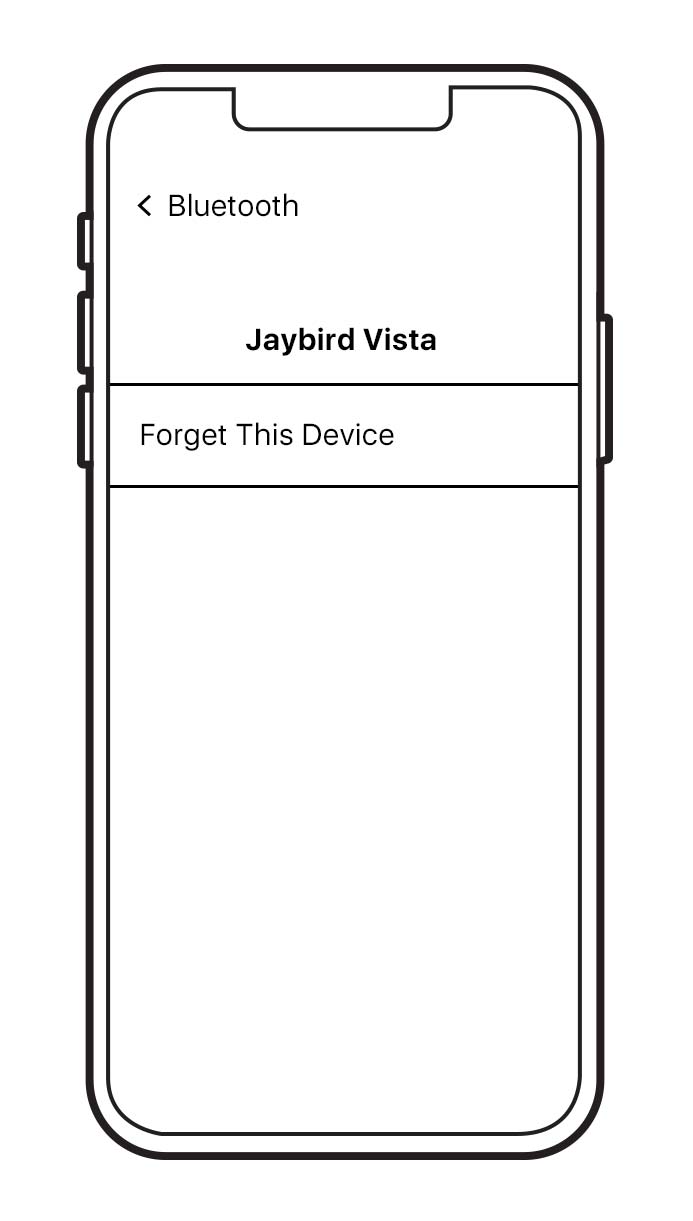
2. Put your replacement earbud in the charging case with your existing earbud. Close the case. Then plug the case into charge and wait for 5 minutes.
3. Open the charging case and press and hold the case button until the LED starts blinking white.
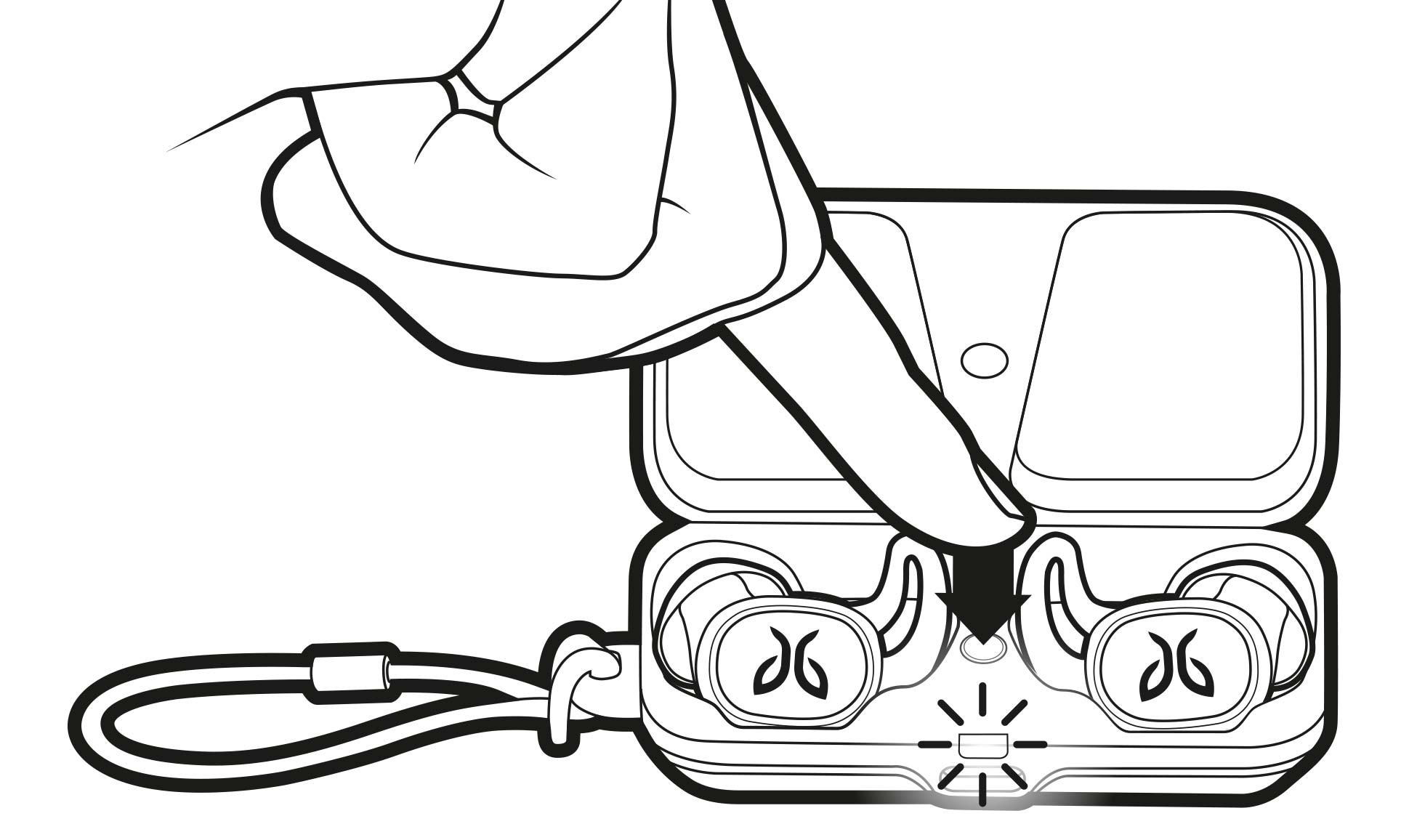
4. While the charging case LED is blinking white, double press the case button. The LED will blink pink. Now close the case.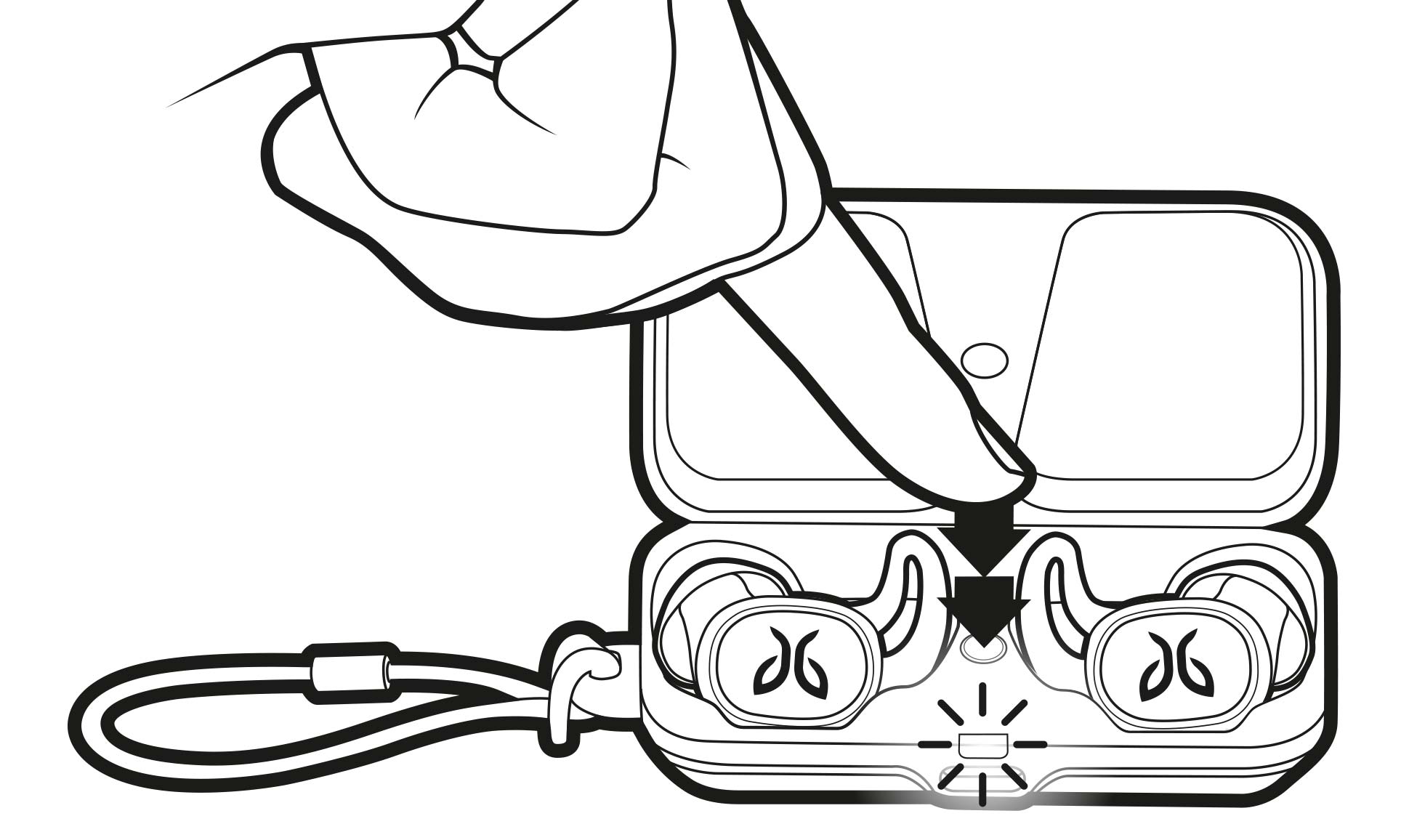
5. You can now pair the buds again:
-
Open the charging case. Press and hold the case button until the LED starts blinking white.
-
Go to your audio devices Bluetooth menu and select ‘Jaybird Vista’.
Viktig anmärkning: Uppdateringsverktyget för inbyggd programvara stöds eller underhålls inte längre av Logitech. Vi rekommenderar starkt att du använder Logi Options+ för dina Logitech-enheter som stöds. Vi finns här om du behöver hjälp under övergången.
Viktig anmärkning: Logitech Preference Manager stöds eller underhålls inte längre av Logitech. Vi rekommenderar starkt att du använder Logi Options+ för dina Logitech-enheter som stöds. Vi finns här om du behöver hjälp under övergången.
Viktig anmärkning: Logitech Control Center stöds eller underhålls inte längre av Logitech. Vi rekommenderar starkt att du använder Logi Options+ för dina Logitech-enheter som stöds. Vi finns här om du behöver hjälp under övergången.
Viktig anmärkning: Logitechs anslutningsverktyg stöds eller underhålls inte längre av Logitech. Vi rekommenderar starkt att du använder Logi Options+ för dina Logitech-enheter som stöds. Vi finns här om du behöver hjälp under övergången.
Viktig anmärkning: Unifying-programvaran stöds eller underhålls inte längre av Logitech. Vi rekommenderar starkt att du använder Logi Options+ för dina Logitech-enheter som stöds. Vi finns här om du behöver hjälp under övergången.
Viktig anmärkning: SetPoint-programvaran stöds eller underhålls inte längre av Logitech. Vi rekommenderar starkt att du använder Logi Options+ för dina Logitech-enheter som stöds. Vi finns här om du behöver hjälp under övergången.
Vanliga frågor
Det finns inga tillgängliga produkter för den här sektionen
Det finns inga nedladdningar för denna produkt
Det finns inga nedladdningar för den här versionen.
Compatible Product
